

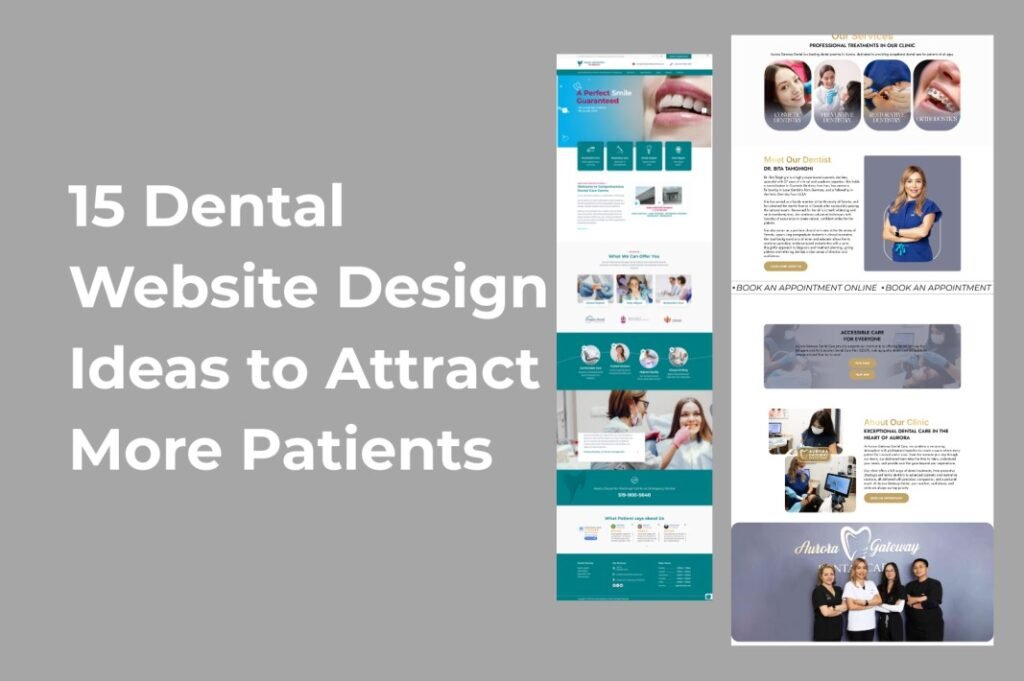
A dental website is often the first place a potential patient goes before deciding whether to call your office. If the website looks outdated, loads slowly, is difficult to use on a phone, or doesn’t clearly explain your services, patients may move on to another dental practice.
A modern dental website should do more than look professional. It should build trust, answer patients’ questions, make it easy to contact your office, and guide visitors toward booking an appointment.
For dental practices in the United States, thoughtful website design can become an important part of a larger patient acquisition strategy.
If you’re planning to redesign your dental practice website, these 15 dental website design ideas can help you create a website that looks professional while turning more visitors into potential patients.
1. Create a Strong Dental Website Homepage
Your homepage is usually the first impression patients have of your dental practice. Within a few seconds, visitors should understand who you are, where you are located, and what your practice can help them with.
Avoid filling the hero section with complicated text. Instead, use a clear headline, a short supporting message, and an obvious call-to-action such as “Book an Appointment” or “Request an Appointment.”
For example, a dental practice could use a headline such as:
“Modern Family Dentistry in Austin, TX”
Then add a short description explaining the practice and a button that encourages visitors to schedule a visit.
A strong homepage should quickly communicate:
| Homepage Element | Why It Matters |
|---|---|
| Clear headline | Immediately tells visitors what the practice offers |
| Location | Helps local patients understand whether the practice serves their area |
| Primary CTA | Gives visitors an obvious next step |
| Services | Helps patients find the treatment they need |
| Dentist introduction | Builds familiarity and trust |
| Reviews | Provides social proof |
| Office photos | Makes the practice feel more approachable |
| Contact information | Makes it easy to reach the practice |
A well-planned homepage is one of the most important parts of effective dental website design.
2. Use Professional Photos of Your Dental Practice
Stock photos can make a dental website look generic. Whenever possible, use authentic photographs of your dentist, team, office, treatment rooms, and reception area.
Patients want to know what they can expect before visiting a dental office.
Professional photography can help answer questions such as:
- What does the office look like?
- What does the dental team look like?
- Does the office feel clean and comfortable?
- Is the practice modern?
- Will I feel welcome there?
A few high-quality photographs can make a dental website feel much more personal and trustworthy.
3. Make Your Website Mobile-Friendly
Many prospective patients will visit your website from a smartphone. If your dental website doesn’t work properly on smaller screens, you may lose potential appointments.
A mobile-friendly dental website should have:
- Easy-to-read text
- Large, tap-friendly buttons
- Simple navigation
- Fast-loading images
- Click-to-call phone numbers
- Easy appointment forms
- Properly spaced sections
- No unnecessary pop-ups
Don’t simply shrink the desktop version of the website. Design the mobile experience intentionally.
4. Make the “Book an Appointment” Button Impossible to Miss
One of the biggest mistakes on dental websites is hiding the appointment button.
If the main goal of your website is to generate new patients, the path to scheduling an appointment should be obvious.
Consider placing a “Book an Appointment” or “Request an Appointment” button:
- In the header
- In the homepage hero section
- After important service sections
- Near patient reviews
- At the bottom of service pages
- In the mobile navigation
The CTA doesn’t need to be aggressive. It simply needs to be easy to find.
5. Build Dedicated Pages for Dental Services
Don’t put every dental treatment on one long services page.
Instead, create individual pages for important treatments and services.
For example:
| Dental Service | Potential Website Page |
|---|---|
| Dental Implants | /dental-implants/ |
| Teeth Whitening | /teeth-whitening/ |
| Invisalign | /invisalign/ |
| Emergency Dentistry | /emergency-dentist/ |
| Dental Crowns | /dental-crowns/ |
| Root Canal Treatment | /root-canal-treatment/ |
| Family Dentistry | /family-dentistry/ |
| Cosmetic Dentistry | /cosmetic-dentistry/ |
Dedicated service pages give patients more useful information and create opportunities to target specific search queries.
Each service page should explain what the treatment is, who it may be appropriate for, what patients can expect, and how they can contact the practice.
6. Add Real Patient Reviews and Testimonials
Trust is extremely important when someone is choosing a dentist.
Adding patient testimonials to your website can help visitors feel more confident about contacting your practice.
Instead of placing all reviews on one page, consider displaying relevant testimonials throughout the website.
For example, a cosmetic dentistry page could feature testimonials from patients discussing their experience with cosmetic treatment.
A strong testimonial section can include:
- Patient first name or appropriate attribution
- Review text
- Star rating when appropriate
- Review platform attribution when applicable
- Optional patient photo when you have permission
Always make sure testimonials are genuine and used appropriately.
7. Create a Dedicated Dentist and Team Section
People don’t choose a dental practice based only on services. They also want to know who will be treating them.
Create a professional “Meet the Dentist” or “Our Team” section that introduces the people behind the practice.
Include useful information such as:
- Dentist name
- Professional credentials
- Areas of expertise
- Education
- Professional memberships
- Approach to patient care
- Team members
- Professional photographs
Keep the writing conversational. Patients don’t need a complicated biography; they want to understand who they are trusting with their dental care.
8. Design an Easy-to-Use Navigation Menu
A beautiful website can still perform poorly if visitors can’t find what they need.
Dental websites usually contain a lot of information, so navigation should be simple and organized.
A useful navigation structure might look like:
Home | About | Services | New Patients | Reviews | Blog | Contact
Important services can be organized under a Services dropdown menu.
Avoid adding too many menu items. A visitor looking for a dentist shouldn’t need to explore several layers of navigation just to find a phone number or appointment form.
9. Add a Local SEO-Friendly Contact Section
Dental practices serve specific geographic areas, so local information matters.
Your website should clearly communicate where your practice is located and which nearby communities it serves.
Consider including:
- Full business address
- Phone number
- Office hours
- Embedded map
- Parking information
- Nearby landmarks
- Service areas
- Directions
- Appointment CTA
For example, instead of simply writing “Contact Us,” a practice could provide useful information such as:
“Conveniently located near Downtown Phoenix and serving patients throughout Phoenix and surrounding communities.”
This helps both users and search engines understand the local relevance of the practice.
10. Improve Website Speed
A slow dental website can create a poor first impression.
Large images, unnecessary plugins, excessive animations, poorly optimized code, and low-quality hosting can all contribute to slow loading times.
A faster dental website should prioritize:
| Optimization | Benefit |
|---|---|
| Compressed images | Reduces page size |
| Modern image formats | Can improve image efficiency |
| Optimized CSS and JavaScript | Reduces unnecessary browser work |
| Good hosting | Helps improve server response |
| Limited plugins | Reduces unnecessary overhead |
| Lazy loading | Prevents loading everything at once |
| Clean page structure | Improves usability |
Website speed isn’t just an SEO consideration. A faster website generally provides a better experience for prospective patients.
11. Use a Sticky Header on Mobile
Patients shouldn’t have to scroll all the way back to the top of a page to find your phone number or appointment button.
A simple sticky header can keep important actions available while visitors browse.
For a dental website, the mobile header could include:
Call | Menu | Book Appointment
This is especially useful for visitors who are browsing service pages or reading longer articles.
12. Create Helpful Dental Content
A dental website shouldn’t only contain service pages.
A useful blog can answer questions patients are already searching for before they contact a dentist.
Potential topics include:
- How often should you visit the dentist?
- How long do dental implants last?
- What should you do during a dental emergency?
- Is professional teeth whitening safe?
- What happens during a root canal?
- How can you prevent cavities?
- What should you know before getting Invisalign?
The goal shouldn’t be publishing hundreds of shallow articles. Focus on creating genuinely useful content that answers real patient questions.
This can also create internal linking opportunities between blog posts and relevant treatment pages.
13. Add an FAQ Section
Patients often have questions before scheduling an appointment.
An FAQ section can reduce uncertainty and help visitors find answers without calling the office.
Common dental website FAQ topics include:
| Question | Useful Information to Provide |
|---|---|
| Do you accept new patients? | Explain your new-patient process |
| Do you accept insurance? | Explain accepted plans or provide guidance |
| Where are you located? | Address, map, and directions |
| Do you offer emergency appointments? | Explain availability and what patients should do |
| How do I schedule an appointment? | Provide a clear booking process |
| What should I bring to my first appointment? | Explain required documents or information |
| Do you treat children? | Explain pediatric or family services if offered |
Keep answers accurate and specific to the actual practice.
14. Use Clear Calls-to-Action Throughout the Website
A patient may not be ready to schedule an appointment when they first arrive.
That’s why calls-to-action should appear naturally throughout the website.
Examples include:
Schedule Your Visit
Request an Appointment
Call Our Dental Office
Meet Our Dentist
Explore Dental Implants
Get Directions
Different visitors may respond to different CTAs depending on where they are in the decision-making process.
A service page might end with:
“Interested in learning whether dental implants are right for you? Request an appointment with our dental team.”
This is much more useful than ending every page with a generic “Contact Us.”
15. Build a Modern, Trustworthy Visual Design
Finally, your dental website needs to look current.
Patients may associate an outdated website with an outdated practice, even when the actual dental office is excellent.
A modern dental website doesn’t necessarily need complicated animations or flashy effects. Good design is often about clarity, consistency, and trust.
Consider using:
- Plenty of white space
- Professional typography
- Consistent branding
- High-quality photography
- Subtle animations
- Clear buttons
- Easy-to-read service sections
- Consistent colors
- Responsive layouts
- Strong visual hierarchy
The design should feel professional without becoming cold or overly corporate.
What Should a High-Converting Dental Website Include?
If you’re planning a complete dental website redesign, here’s a practical checklist to use:
| Website Feature | Importance | Purpose |
|---|---|---|
| Mobile responsive design | Essential | Makes the website easy to use on phones |
| Appointment CTA | Essential | Helps convert visitors into leads |
| Service pages | Essential | Explains treatments and targets relevant searches |
| Dentist profile | High | Builds trust |
| Patient reviews | High | Provides social proof |
| Contact information | Essential | Makes the practice easy to reach |
| Location/map | High | Supports local patients |
| FAQ section | Medium/High | Answers common questions |
| Blog | Medium/High | Provides useful educational content |
| Fast loading speed | Essential | Improves user experience |
| Professional photography | High | Makes the practice feel authentic |
| Local SEO structure | High | Helps establish geographic relevance |
Final Thoughts
A successful dental website isn’t simply an online brochure. It should work as a patient education tool, trust-building platform, and lead-generation channel for your dental practice.
The best dental website design combines a professional visual appearance with practical features: fast performance, mobile usability, clear service information, genuine reviews, strong calls-to-action, and an easy way for patients to contact the office.
If your current dental website looks outdated or isn’t generating enough appointment inquiries, a strategic redesign may be worth considering.
I specialize in creating modern, responsive dental websites for dental clinics with a focus on professional design, usability, mobile responsiveness, and patient conversion.
You can also visit my web design portfolio to see more of my work and learn about my website design services.
A better website won’t replace great dentistry—but it can make it much easier for the right patients to discover your practice, understand your services, trust your team, and take the next step.
Frequently Asked Questions
What makes a good dental website design?
A good dental website should be fast, mobile-friendly, easy to navigate, visually professional, and focused on helping patients take action. It should clearly explain dental services, introduce the dentist and team, display genuine reviews, provide contact information, and make appointment requests easy.
How can a dental website attract more patients?
A dental website can attract more patients by combining strong local SEO, useful service pages, educational content, professional design, mobile optimization, patient reviews, clear calls-to-action, and an easy appointment process.
Should a dental practice have separate pages for each service?
Yes. Creating dedicated pages for important dental services can make it easier for patients to learn about individual treatments and can provide better opportunities to target relevant search queries.
Is mobile-friendly design important for dental websites?
Absolutely. Many potential patients browse websites using smartphones. A mobile-friendly website makes it easier for visitors to call the office, read service information, find directions, and request an appointment.
How important are patient reviews on a dental website?
Patient reviews can play an important role in building trust. Prospective patients often want reassurance that other people have had positive experiences before choosing a dental practice.
Should a dental website include a blog?
A blog can be valuable when it provides genuinely useful information for patients. Instead of publishing content simply to target keywords, dental practices should focus on answering common questions and providing helpful information related to their services.
How often should a dental website be redesigned?
There isn’t a fixed schedule. A redesign may be appropriate when the website is outdated, difficult to use on mobile devices, slow, difficult to manage, poorly organized, or no longer reflects the dental practice’s branding and services.
Where can I get a professional dental website designed?
If you’re a dentist or dental practice owner looking for a modern WordPress dental website, you can explore my dental website design service or visit my portfolio website to learn more about my work.