

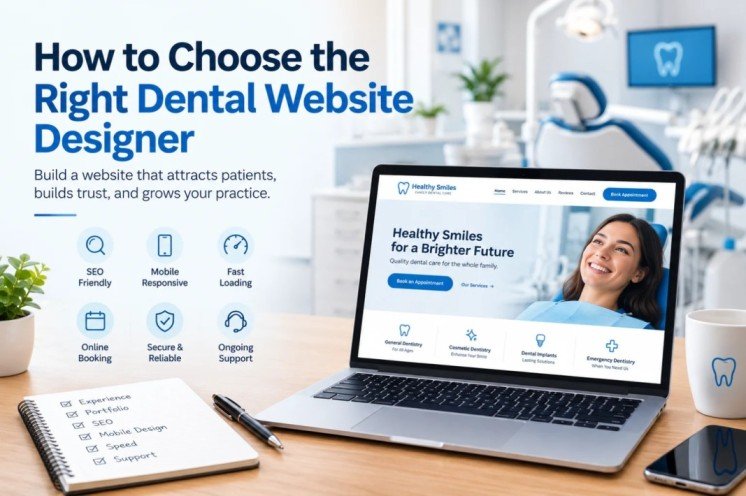
Choosing a website designer for your dental practice is not the same as hiring someone to build a website for a restaurant, real estate company, or local store.
Your dental website is often the first place a potential patient goes after finding your practice on Google. Before calling your office or booking an appointment, they may look at your services, read reviews, check your location, compare your practice with competitors, and decide whether they feel comfortable trusting you.
That means the right dental website designer should understand more than colors, fonts, and WordPress.
They should understand how a dental practice website attracts local visitors, builds trust, works on mobile devices, supports local SEO, and encourages potential patients to call or request an appointment.
If you are a dentist or practice owner in the United States and you’re considering a new website or redesign, this guide will help you choose the right website designer for your dental clinic.
Why Choosing the Right Dental Website Designer Matters
A website can look attractive and still perform poorly.
For example, a dental website might have beautiful animations and professional graphics but make the phone number difficult to find. Another site may have excellent branding but load slowly on mobile. A third website may look modern but have almost no useful content for patients searching for specific dental treatments.
A successful dental website needs to balance design, usability, SEO, performance, content, and conversion.
Google’s guidance emphasizes helpful, reliable, people-first content and a good overall page experience. For a dental practice, that means your website should be useful to real patients first while also making it easy for search engines to understand your services and location.
| What your website needs | Why it matters |
|---|---|
| Professional dental design | Creates a strong first impression and builds confidence |
| Mobile-friendly layout | Many prospective patients browse from smartphones |
| Local SEO structure | Helps your practice compete for searches in your service area |
| Clear service pages | Helps patients understand the treatments you provide |
| Online appointment options | Gives visitors an easy next step |
| Click-to-call functionality | Makes contacting the practice easier on mobile |
| Fast loading speed | Reduces friction and improves the overall user experience |
| Trust signals | Helps new patients feel more comfortable choosing your practice |
| Easy navigation | Helps visitors quickly find services, contact information, and location |
| Ongoing maintenance | Keeps the website secure, functional, and up to date |
1. Look for Experience With Dental Websites
One of the first questions you should ask a potential designer is simple:
Have you designed websites specifically for dental practices?
A designer may have years of general web design experience but very little understanding of how a dental website should be structured.
Dental websites have their own requirements. A typical practice may need dedicated pages for general dentistry, cosmetic dentistry, dental implants, emergency dentistry, teeth whitening, Invisalign, pediatric dentistry, root canals, crowns, veneers, or other treatments.
A designer familiar with dental websites will understand why these pages matter and how they can fit into the overall patient journey.
When reviewing a designer’s portfolio, don’t only look at whether the websites look attractive. Ask yourself:
- Is the practice’s phone number easy to find?
- Is there a clear appointment call-to-action?
- Are services organized logically?
- Does the website work well on mobile?
- Does each important service have enough information?
- Is the location clearly communicated?
- Does the design feel trustworthy and professional?
- Does the website look different from generic dental templates?
A dental website should be designed around the needs of prospective patients, not simply around a designer’s visual preferences.
2. Review Their Dental Website Portfolio
A portfolio can tell you more than a list of services.
Before hiring a dental website designer, look at several completed projects. Pay attention to the structure of the websites rather than only the homepage.
A strong dental website portfolio should demonstrate variety while maintaining a consistent understanding of what dental practices need.
| Portfolio element | What to look for |
|---|---|
| Homepage | Clear message, strong visual hierarchy, obvious contact options |
| Service pages | Dedicated, informative pages for important treatments |
| Mobile design | Navigation and content that work comfortably on smaller screens |
| Calls to action | Appointment and contact options placed naturally throughout the site |
| Branding | Professional design that reflects the individual practice |
| Local information | City, service area, address, phone number, and directions |
| Trust elements | Reviews, testimonials, team information, credentials, and real photography |
| Performance | Pages that load efficiently without unnecessary visual effects |
Don’t be afraid to ask why certain design decisions were made. A good designer should be able to explain the reasoning behind the layout.
3. Make Sure the Designer Understands Dental SEO
A beautiful website will not automatically appear at the top of Google.
Search engine optimization should be considered during the website planning and development process rather than treated as an afterthought.
For a U.S. dental practice, SEO can involve several different types of searches, including:
- Dentist searches in a specific city
- Dental clinic searches near a neighborhood
- Emergency dentist searches
- Cosmetic dentistry searches
- Dental implant searches
- Invisalign searches
- Teeth whitening searches
- Service-specific searches
- Location-based treatment searches
A good dental website designer should understand how the website structure can support these search opportunities.
Google also recommends using the words people actually search for in important parts of a page, while keeping the content useful and natural.
Questions to ask about SEO
Before hiring a designer, ask:
- Will the website have SEO-friendly page structure?
- Can you create individual pages for important dental services?
- Will title tags and meta descriptions be optimized?
- Will headings be structured properly?
- Will images be optimized?
- Will the website be mobile-friendly?
- Can the site be integrated with Google Search Console and analytics?
- Will local SEO considerations be included?
- Can the website be expanded with future SEO content?
- Will the website remain editable after launch?
You don’t necessarily need a designer who promises to “guarantee” a #1 Google ranking.
In fact, be cautious of anyone making unrealistic ranking guarantees.
What you want is a designer who understands how good website architecture, useful content, technical performance, and local search visibility work together.
4. Ask About Mobile-First Dental Website Design
Imagine a potential patient searching for a dentist while sitting in their car, at work, or at home using their phone.
If the website is difficult to navigate on a smartphone, that patient may leave before ever contacting the practice.
A modern dental website should make important actions easy on smaller screens.
For example:
| Mobile element | Good practice |
|---|---|
| Phone number | Easy to see and tap |
| Appointment button | Clearly visible without excessive scrolling |
| Navigation | Simple and easy to use |
| Forms | Short and comfortable to complete |
| Images | Optimized so they don’t slow the page |
| Text | Easy to read without zooming |
| Buttons | Large enough to tap comfortably |
| Service information | Easy to scan on a phone |
| Location | Easy to find and access |
Mobile responsiveness should not mean simply shrinking the desktop version.
The mobile experience should be intentionally designed.
5. Ask How the Designer Approaches Website Speed
Website speed is another important consideration when choosing a dental website designer.
A website filled with large images, unnecessary plugins, excessive animations, poorly optimized scripts, or inefficient code can become frustrating for visitors.
Speed also matters because it affects the overall page experience.
Ask the designer:
“What will you do to keep my dental website fast?”
A good answer may include image optimization, efficient page building, caching, reducing unnecessary scripts, choosing suitable hosting, optimizing fonts, and reviewing performance after development.
You can also ask whether performance will be checked on both desktop and mobile.
The goal isn’t to chase an arbitrary speed score simply because a tool displays a number. The goal is to create a website that feels fast and works smoothly for real visitors.
6. Check Whether the Website Is Built for Patient Conversion
Your website should not simply provide information.
It should help a potential patient take the next step.
That next step might be:
- Calling the practice
- Requesting an appointment
- Booking online
- Contacting the office
- Getting directions
- Learning about a treatment
- Checking accepted insurance
- Reviewing the dentist’s credentials
This is where conversion-focused dental website design becomes important.
For example, a service page for dental implants should not end with several paragraphs of text and nothing else. The page should naturally guide the visitor toward contacting the practice or scheduling a consultation.
A useful way to evaluate a website is to ask:
“If I were a new patient, would I immediately know what to do next?”
If the answer is no, the website probably needs a stronger conversion strategy.
7. Make Sure the Designer Can Create Individual Dental Service Pages
One common mistake is putting every dental service on one generic “Services” page.
That can make the website harder to navigate and limits the amount of useful information you can provide about individual treatments.
Instead, important treatments can have their own dedicated pages.
For example:
| Dental service | Possible dedicated page |
|---|---|
| Dental Implants | /dental-implants/ |
| Invisalign | /invisalign/ |
| Teeth Whitening | /teeth-whitening/ |
| Emergency Dentistry | /emergency-dentist/ |
| Cosmetic Dentistry | /cosmetic-dentistry/ |
| Dental Crowns | /dental-crowns/ |
| Root Canal | /root-canal/ |
| Pediatric Dentistry | /pediatric-dentistry/ |
The exact structure should depend on the practice, its services, its locations, and its marketing goals.
Dedicated service pages can also create opportunities to target more specific search queries while giving prospective patients better information.
8. Ask About Local SEO for Your Dental Practice
Dental practices are local businesses.
A dentist in Dallas doesn’t need website visitors from New York. A dental clinic in Los Angeles wants to reach people who are actually searching for dental care in its service area.
That’s why your website should communicate your location clearly.
Your designer should understand the importance of consistent business information, location-focused content, service-area relevance, and a website structure that supports local search visibility.
For example, your website may naturally reference:
Dentist in [City, State]
Dental Implants in [City, State]
Emergency Dentist in [City, State]
The important word is naturally.
You don’t want a page filled with repetitive city and keyword combinations. Google recommends creating content primarily for people and avoiding search-engine-first content.
Good local SEO should help patients understand where your practice is located and what services you provide.
9. Ask Who Owns the Website
This question is often overlooked.
Before signing a contract, understand what happens to the website after the project is completed.
Ask:
- Who owns the domain?
- Who owns the website?
- Who owns the content?
- Where is the website hosted?
- Can I access WordPress?
- Can another developer maintain the website later?
- What happens if I stop using your service?
- Are there recurring licensing costs?
- Are premium plugins included?
- Who handles backups and security?
You should understand these details before development begins rather than after the website is launched.
10. Ask About WordPress Experience
WordPress can be a strong choice for dental practices because it provides flexibility for content, SEO, landing pages, service pages, blogging, integrations, and future development.
But not every WordPress website is built equally.
Ask your potential designer what tools they use and why.
For example, a designer may work with:
- WordPress
- Elementor
- Divi
- Breakdance
- WooCommerce when needed
- Custom CSS
- JavaScript
- PHP
- SEO plugins
- Performance optimization tools
- Security tools
- Appointment integrations
The technology itself isn’t the most important thing.
The important question is whether the designer can use the technology to build a website that is easy for your practice to manage and useful for your patients.
11. Don’t Choose a Designer Based Only on the Cheapest Price
Price matters, especially for smaller dental practices.
But the cheapest website isn’t necessarily the least expensive option in the long run.
A low-cost website may look attractive initially but require expensive redesigns, SEO work, performance fixes, security repairs, or additional development later.
Instead of comparing only the price, compare the complete value.
| Factor | Low-cost approach | Professional approach |
|---|---|---|
| Design | Generic template | Custom or strategically customized |
| SEO | Often limited | Planned into the structure |
| Mobile | Basic responsive setup | Designed around mobile usability |
| Performance | May be overlooked | Considered during development |
| Service pages | Basic | Structured around patient needs |
| Conversion | Limited CTAs | Planned patient journey |
| Security | May be minimal | Security considered throughout |
| Support | Often limited | Ongoing support options |
| Scalability | Can be difficult | Easier to expand |
| Long-term value | May require rebuilding | Designed for future growth |
The right question isn’t:
“Who can build my website for the lowest price?”
A better question is:
“Who can build a website that supports my practice for the next several years?”
12. Ask What Happens After Launch
Launching the website is not necessarily the end of the project.
Dental practices change.
You may add a new dentist, introduce a new treatment, change office hours, update insurance information, publish new content, add locations, or create a new promotional landing page.
That’s why ongoing website support can be valuable.
Ask the designer whether they offer:
- WordPress updates
- Security monitoring
- Website backups
- Content updates
- New landing pages
- SEO support
- Performance optimization
- Technical troubleshooting
- Plugin updates
- Design revisions
You don’t necessarily need a large monthly package.
The important thing is knowing who you can contact when something needs to be changed.
13. Ask for a Clear Project Process
Professional website development should have a clear process.
A typical dental website project may move through several stages:
Discovery → Planning → Content → Design → Development → Mobile Optimization → SEO Setup → Testing → Launch → Support
A designer should be able to explain what happens at each stage.
You should also know:
- What you need to provide
- How many revisions are included
- Who writes the content
- Who supplies photographs
- How long the project is expected to take
- What happens if content is delayed
- How approvals work
- What happens before launch
- What support is available afterward
Clear communication can prevent many problems later.
14. Review Testimonials and Previous Client Work
Testimonials are useful, but don’t stop there.
If possible, visit the websites shown in a designer’s portfolio.
Click around.
Open the site on your phone.
Look at service pages.
Try the contact form.
Check whether the website feels easy to use.
This gives you a better idea of what the designer actually delivers.
A portfolio filled with attractive homepage screenshots is less useful than seeing complete, functioning websites.
15. Watch for These Dental Website Designer Red Flags
Choosing the wrong designer can cost more than choosing a slightly more expensive professional.
Here are some warning signs worth considering:
| Red flag | Why it can be a problem |
|---|---|
| Promises guaranteed #1 Google rankings | SEO results cannot realistically be guaranteed |
| No dental portfolio | They may not understand the niche |
| Only shows homepage screenshots | You cannot evaluate the complete website |
| Uses the same template for every practice | Your website may look generic |
| Cannot explain their SEO approach | SEO may have been ignored during development |
| Doesn’t discuss mobile design | The mobile experience may be poor |
| No clear ownership terms | You may have difficulty controlling the website |
| Extremely cheap package with unclear scope | Important features may be missing |
| No revision process | You may have little control over the final design |
| No post-launch support | You may be left alone after launch |
A Simple Checklist for Choosing a Dental Website Designer
Before hiring someone, use this checklist.
| Question | Yes/No |
|---|---|
| Do they have dental website experience? | ☐ |
| Can they show complete dental websites? | ☐ |
| Do they understand local SEO? | ☐ |
| Is mobile-first design part of their process? | ☐ |
| Do they consider website speed? | ☐ |
| Can they create dedicated service pages? | ☐ |
| Is appointment/contact functionality included? | ☐ |
| Will you own the website and domain? | ☐ |
| Is WordPress easy to manage after launch? | ☐ |
| Are security and backups considered? | ☐ |
| Is there a clear revision process? | ☐ |
| Is post-launch support available? | ☐ |
| Can the website grow with your practice? | ☐ |
If most of these answers are yes, you are probably looking at a much stronger candidate than someone who simply promises a “beautiful website.”
What Should a Dental Website Designer Actually Deliver?
When comparing proposals, ask each designer to clearly explain what is included.
A professional dental website project might include:
- Custom dental website design
- Responsive desktop, tablet, and mobile layouts
- Professional homepage
- Individual dental service pages
- About the dentist or practice page
- Contact page
- Appointment or consultation request functionality
- Click-to-call phone numbers
- Contact forms
- Local SEO-friendly structure
- SEO titles and meta descriptions
- Image optimization
- Website performance optimization
- Security configuration
- Google Analytics/Search Console setup where appropriate
- Social media integration
- Review/testimonial sections
- Ongoing maintenance options
The exact package will depend on your practice, goals, existing website, and budget.
How Much Should a Dental Website Cost?
There isn’t one universal price for a dental website.
A small practice website with a limited number of pages will require a different amount of work than a large multi-location dental group with dozens of service pages, advanced appointment integrations, custom landing pages, and ongoing SEO.
Instead of choosing a website designer based on a single price number, compare the scope of work.
Ask what you’re actually receiving for the investment.
A useful proposal should make it clear whether the price includes design, development, content, SEO setup, integrations, revisions, hosting, maintenance, and future support.
Why a Dental Website Should Be Built Around Patients
The best dental websites aren’t designed to impress other web designers.
They’re designed to help real people.
A prospective patient may arrive with questions such as:
Do you provide the treatment I need?
Where is the office located?
Do you accept my insurance?
Can I book an appointment online?
Does this dentist look trustworthy?
What will happen during the treatment?
How can I contact the office?
A strong website answers these questions without making visitors search through several pages.
That’s why good dental website design is more than visual appearance. It combines branding, information architecture, content, usability, SEO, performance, and conversion.
Choose a Dental Website Designer Who Understands the Business Goal
Ultimately, you aren’t buying a website simply because your dental practice needs a website.
You’re investing in an online presence that should support your business.
Your website should help potential patients discover your practice, understand your services, trust your team, and take the next step.
That’s why choosing a designer with dental website experience can make a significant difference.
If you’re looking for a professional [dental website design service], you can learn more about my approach to creating modern, responsive, SEO-friendly websites for dental practices.
I focus on creating websites that combine professional design with usability, mobile responsiveness, service-focused content, clear calls to action, and a structure that can support long-term online growth.
You can also [visit my website] to see more about my web design and development services.
Final Thoughts
Choosing the right dental website designer doesn’t have to be complicated.
Start by looking beyond the visual design.
Review their dental portfolio. Ask about SEO. Test their previous websites on mobile. Discuss website speed. Understand ownership. Ask about service pages, appointment functionality, security, maintenance, and post-launch support.
Most importantly, make sure they understand that a dental website has a business purpose.
It should help your practice communicate its value, build trust with potential patients, appear in relevant searches, and make it easy for visitors to contact you.
If you’re planning a new dental website or redesigning an existing practice website, choosing the right designer is one of the most important decisions you’ll make before development begins.