

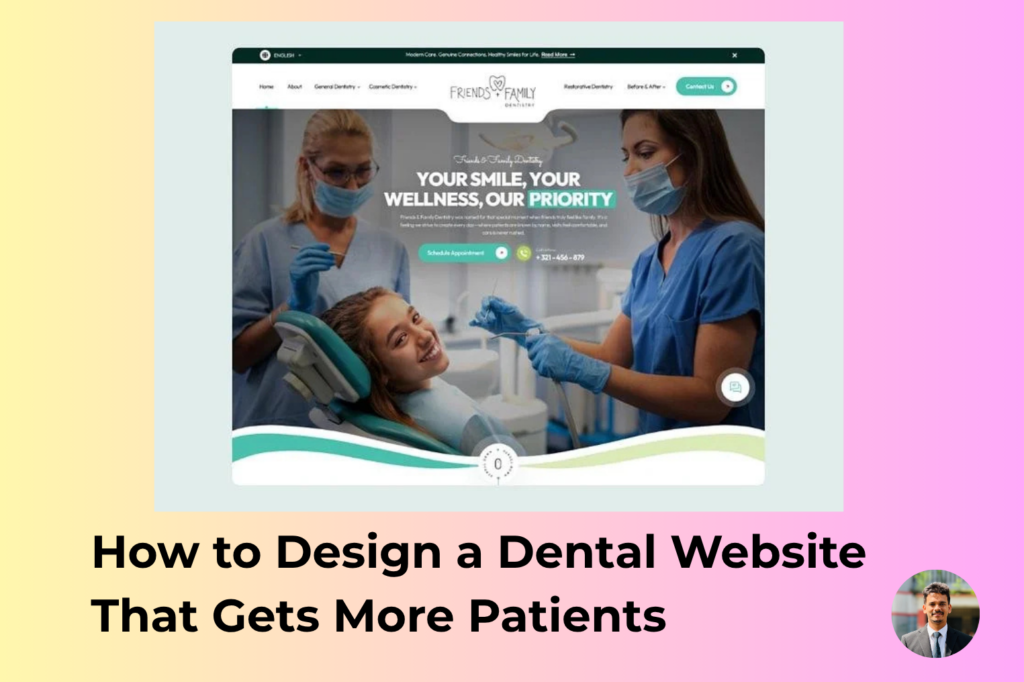
A dental website should do more than make a dental practice look professional. It should help potential patients understand your services, trust your practice, and take the next step toward booking an appointment.
When someone searches for a dentist in their area, your website may be the first impression they have of your practice. If the website is slow, difficult to use, outdated, or missing important information, that potential patient may simply leave and choose another dental clinic.
A well-designed dental website can help turn more visitors into phone calls, appointment requests, and new patients.
In this guide, we’ll look at the most important elements of a dental website that is designed to attract and convert patients in the United States.
1. Make a Strong First Impression
Your homepage is often the first page a potential patient sees. Within a few seconds, visitors should understand:
- What type of dental practice you operate
- Where your dental clinic is located
- What services you provide
- Why patients should choose your practice
- How they can schedule an appointment
Avoid filling the homepage with too much information. Instead, use a clean layout with a clear headline, professional dental photography, and an obvious call-to-action.
For example, instead of a generic headline such as “Welcome to Our Dental Office,” consider something more specific:
“Trusted Family Dentist in [City, State]”
Then explain what makes your practice different and provide a visible Book an Appointment or Call Our Office button.
2. Make It Easy to Book an Appointment
One of the main goals of a dental website is to generate appointments.
If a visitor has to search through several pages to find your phone number or appointment form, you may lose that patient.
Place appointment buttons in important areas of the website, including:
- The main navigation
- Homepage hero section
- Service pages
- Contact page
- Mobile menu
- Footer
Your call-to-action should be simple and clear. Examples include:
Book an Appointment
Request an Appointment
Call Our Dental Office
The easier you make the process, the fewer opportunities there are for visitors to leave without contacting your practice.
3. Build Dedicated Pages for Dental Services
A common mistake is putting every dental service on one page.
If your practice offers dental implants, teeth whitening, Invisalign, emergency dentistry, crowns, veneers, or family dentistry, consider creating a dedicated page for each major service.
For example:
- Dental Implants
- Emergency Dentistry
- Cosmetic Dentistry
- Teeth Whitening
- Invisalign
- Dental Crowns
- Dental Veneers
- Family Dentistry
- Pediatric Dentistry
Dedicated service pages give potential patients more information and create additional opportunities to appear in relevant Google searches.
A patient searching for “dental implants in Miami” has a different intent from someone searching for “emergency dentist in Miami.” Your website should provide useful information for both searches.
4. Create Content Around What Patients Actually Search For
Dental patients often search Google with questions before they decide which dentist to visit.
Examples include:
- How much do dental implants cost?
- What should I do if I have a broken tooth?
- How long does teeth whitening last?
- Are dental implants painful?
- How often should I visit the dentist?
- What is the difference between a crown and a veneer?
Creating helpful blog content around these questions can bring additional visitors to your website.
However, don’t write articles simply to add keywords. The content should answer real patient questions in a clear and easy-to-understand way.
Useful content can also help demonstrate your dental practice’s knowledge and make potential patients more comfortable contacting your office.
5. Optimize Your Website for Local Searches
Most dental practices serve a specific geographic area. That makes local SEO especially important.
Your website should clearly communicate where your practice is located.
Include relevant location information on your website, such as:
- City
- State
- Neighborhood or service area
- Office address
- Phone number
- Opening hours
- Directions
- Nearby communities you serve
For example, a dentist in Los Angeles may want to naturally mention the communities and areas they serve rather than trying to rank for every city in California.
Your content should always sound natural. Repeating the same location and keyword dozens of times can make a page difficult to read and does not create a good experience for potential patients.
6. Make Your Dental Website Mobile-Friendly
Many people search for local businesses using their phones.
A dental website that looks great on a desktop but is difficult to use on a smartphone can lose potential patients.
Your mobile website should have:
- Easy-to-read text
- Large, clickable buttons
- Simple navigation
- Fast-loading images
- Easy access to the phone number
- Simple appointment forms
- Properly sized images and sections
Before launching a dental website, test it on multiple screen sizes.
A potential patient should be able to find your phone number and appointment button without having to zoom in or struggle with the navigation.
7. Improve Website Speed
A beautiful website is not useful if it takes too long to load.
Large images, unnecessary plugins, excessive animations, poorly optimized code, and unreliable hosting can all contribute to a slow website.
For a dental practice website, focus on keeping the experience simple and fast.
Some useful improvements include:
- Compressing images
- Using modern image formats where appropriate
- Removing unnecessary plugins
- Optimizing CSS and JavaScript
- Using reliable hosting
- Enabling caching
- Reducing unnecessary third-party scripts
Website performance matters because visitors don’t want to wait several seconds just to find basic information about a dentist.
8. Add Real Patient Reviews and Testimonials
Trust is extremely important when someone is choosing a dentist.
Your website should make it easy for visitors to see genuine patient feedback.
Consider adding testimonials to:
- The homepage
- Service pages
- About page
- Appointment section
If your practice has strong reviews on platforms such as Google, make sure your website’s reputation-building content is consistent with those genuine patient experiences.
Avoid creating fake testimonials. Authentic reviews are much more valuable for building trust.
9. Show the People Behind the Practice
Dental care is personal. Patients want to know who will be treating them.
An effective dental website should introduce the dentists and team members.
A good dentist profile can include:
- Professional photograph
- Name and credentials
- Areas of expertise
- Education and training
- Professional memberships
- Approach to patient care
- Personal information where appropriate
Professional photographs can also make the practice feel more welcoming.
Instead of making the website feel like a generic medical template, show the real people, office, and environment whenever possible.
10. Use Professional Dental Photography
Images can have a major impact on how patients perceive a dental practice.
Avoid relying entirely on generic stock photographs. Whenever possible, use professional photos of:
- The dental office
- Reception area
- Treatment rooms
- Dentists
- Dental team
- Equipment
- Exterior of the practice
Real photography can help potential patients know what to expect before they arrive.
If stock photography is necessary, choose images that look natural and fit the practice’s brand.
11. Create Clear Dental Service Pages
Every major service page should answer the questions a potential patient is likely to have.
A strong service page can include:
What Is the Treatment?
Explain the treatment in simple language.
Who May Need It?
Describe common situations where the treatment may be appropriate.
What Does the Process Involve?
Give patients a general idea of what they can expect.
What Are the Benefits?
Explain the potential benefits without making unrealistic promises.
Frequently Asked Questions
Answer common questions patients may have before contacting the office.
Schedule an Appointment
End with a clear next step.
This structure makes service pages more useful for both patients and search engines.
12. Make Your Contact Information Easy to Find
Don’t make visitors hunt for your contact information.
Your website should clearly display:
Practice Name
Address
Phone Number
Office Hours
Appointment Information
Consider keeping the phone number visible in the header and footer, particularly on mobile devices.
For local dental practices, accurate and consistent contact information is especially important.
13. Use Strong Calls to Action
A dental website should guide visitors toward the next step.
Instead of ending every page without direction, use relevant calls to action.
For example:
Ready to Improve Your Smile? Schedule a Consultation Today.
Looking for a Dentist in [City]? Contact Our Office.
Have a Dental Emergency? Call Our Office Today.
Your CTA should match the visitor’s intent and the service they are viewing.
14. Make the Website Feel Trustworthy
A potential patient may ask themselves several questions while browsing your website:
“Is this dentist experienced?”
“Does this office look professional?”
“Can I trust this practice?”
“Will they take care of me?”
Your website should help answer these questions.
Trust-building elements can include:
- Dentist credentials
- Genuine patient reviews
- Professional photography
- Before-and-after cases where appropriate
- Clear treatment information
- Insurance information
- Financing information
- Professional affiliations
- Contact information
- Frequently asked questions
The goal is not to overwhelm visitors with badges and logos. Instead, provide useful information that helps them make a confident decision.
15. Build a Website With SEO in Mind From the Beginning
SEO shouldn’t be something you think about after the website is finished.
The website structure should be planned around the services and locations the dental practice wants to reach.
This includes:
- Logical page structure
- Search-friendly URLs
- Proper title tags
- Useful meta descriptions
- Clear headings
- Internal links
- Optimized images
- Local business information
- Helpful service content
- Mobile usability
- Fast loading times
For example, instead of a URL such as:
example.com/page123
a cleaner URL could be:
example.com/dental-implants/
This makes the website easier for users and search engines to understand.
16. Use Internal Links Strategically
Internal linking helps visitors discover other useful pages on your website.
For example, a blog post about missing teeth could link to your dental implants service page.
A cosmetic dentistry article could link to your teeth whitening or veneers page.
Internal links can also help search engines understand the relationship between different pages on your website.
The links should be useful and placed naturally within the content rather than added simply for SEO.
17. Don’t Forget Website Security
Dental websites often contain contact forms and other information submitted by patients.
Security should therefore be part of the website development process.
A professional dental website should use HTTPS and keep WordPress, themes, plugins, and other software properly maintained.
Forms should also be configured carefully to reduce spam and protect submitted information.
Security is not just a technical issue. A secure, well-maintained website also helps protect the reputation of a dental practice.
18. Your Dental Website Should Have One Main Goal
It’s easy to add too many features to a website.
Popups, animations, sliders, multiple menus, unnecessary widgets, and complicated forms can distract visitors.
For most dental practices, the website’s primary goal is simple:
Help the right patients find the practice and make it easy for them to contact or book with the office.
Every section of the website should support that goal.
What Makes a Dental Website Successful?
A successful dental website isn’t necessarily the website with the most animations or the most complicated design.
It is a website that combines:
- Professional design
- Clear messaging
- Strong local SEO
- Fast performance
- Mobile-friendly layouts
- Helpful service pages
- Genuine trust signals
- Simple navigation
- Clear calls to action
- Easy appointment booking
When these elements work together, your website becomes more than an online business card. It becomes an important part of your dental practice’s patient acquisition strategy.
Need a Dental Website Designed to Attract More Patients?
If your dental practice has an outdated website, a generic template, or a website that isn’t generating enough appointment inquiries, it may be time for a redesign.
I specialize in creating modern, responsive dental websites for dental clinics and dentists, with a focus on professional design, user experience, local SEO, and patient conversions.
You can learn more about my Dental Website Design service and see how I can help create a professional website for your dental practice.
A good dental website doesn’t just look professional. It should make it easier for the right patients to find you, trust you, and contact your practice.
If you’re planning a new dental website or considering a redesign, start by asking one simple question:
“Does my website make it easy for a new patient to choose my practice?”
If the answer is no, there’s a good opportunity to improve it.